" height="18.016311920580208px" id="GKXyVanMq" stroke-dasharray="0" stroke-linecap="butt" stroke-linejoin="miter" stroke-miterlimit="10" stroke-width="0.5" stroke="rgb(0, 0, 0)" transform="translate(3 3)" width="18px"/></svg>)
"/><stop offset="1" stop-color="rgb(227, 224, 244)"/></linearGradient><linearGradient id="CBS1bzkxF-2031533640-linear-gradient" x1="0.49751243781094523" x2="0.5024875621890548" y1="0" y2="1"><stop offset="0" stop-color="rgb(255, 255, 255)"/><stop offset="1" stop-color="rgb(227, 224, 244)"/></linearGradient><linearGradient id="Jd7AK81w9-2031533640-linear-gradient" x1="0.49751243781094523" x2="0.5024875621890548" y1="0" y2="1"><stop offset="0" stop-color="rgb(255, 255, 255)"/><stop offset="1" stop-color="rgb(227, 224, 244)"/></linearGradient></defs><g d="M 0 16 L 0 0 L 16 0 L 16 16 Z M 9.167 5.167 C 9.167 4.891 8.943 4.667 8.667 4.667 C 8.391 4.667 8.167 4.891 8.167 5.167 C 8.167 6.784 7.809 7.834 7.155 8.488 C 6.501 9.143 5.451 9.5 3.833 9.5 C 3.557 9.5 3.333 9.724 3.333 10 C 3.333 10.276 3.557 10.5 3.833 10.5 C 5.451 10.5 6.501 10.857 7.155 11.512 C 7.809 12.166 8.167 13.216 8.167 14.833 C 8.167 15.109 8.391 15.333 8.667 15.333 C 8.943 15.333 9.167 15.109 9.167 14.833 C 9.167 13.216 9.524 12.166 10.178 11.512 C 10.832 10.857 11.883 10.5 13.5 10.5 C 13.776 10.5 14 10.276 14 10 C 14 9.724 13.776 9.5 13.5 9.5 C 11.883 9.5 10.832 9.143 10.178 8.488 C 9.524 7.834 9.167 6.784 9.167 5.167 Z M 4 3.667 C 4 3.483 3.851 3.333 3.667 3.333 C 3.483 3.333 3.333 3.483 3.333 3.667 C 3.333 4.32 3.189 4.715 2.952 4.952 C 2.715 5.189 2.32 5.333 1.667 5.333 C 1.483 5.333 1.333 5.483 1.333 5.667 C 1.333 5.851 1.483 6 1.667 6 C 2.32 6 2.715 6.145 2.952 6.382 C 3.189 6.618 3.333 7.013 3.333 7.667 C 3.333 7.851 3.483 8 3.667 8 C 3.851 8 4 7.851 4 7.667 C 4 7.013 4.145 6.618 4.382 6.382 C 4.618 6.145 5.013 6 5.667 6 C 5.851 6 6 5.851 6 5.667 C 6 5.483 5.851 5.333 5.667 5.333 C 5.013 5.333 4.618 5.189 4.382 4.952 C 4.145 4.715 4 4.32 4 3.667 Z M 7.333 1 C 7.333 0.816 7.184 0.667 7 0.667 C 6.816 0.667 6.667 0.816 6.667 1 C 6.667 1.422 6.573 1.65 6.445 1.778 C 6.317 1.906 6.089 2 5.667 2 C 5.483 2 5.333 2.149 5.333 2.333 C 5.333 2.517 5.483 2.667 5.667 2.667 C 6.089 2.667 6.317 2.761 6.445 2.889 C 6.573 3.016 6.667 3.244 6.667 3.667 C 6.667 3.851 6.816 4 7 4 C 7.184 4 7.333 3.851 7.333 3.667 C 7.333 3.244 7.427 3.016 7.555 2.889 C 7.683 2.761 7.911 2.667 8.333 2.667 C 8.517 2.667 8.667 2.517 8.667 2.333 C 8.667 2.149 8.517 2 8.333 2 C 7.911 2 7.683 1.906 7.555 1.778 C 7.427 1.65 7.333 1.422 7.333 1 Z" fill="transparent" height="16px" id="aoZYv33vR" width="16px"><path d="M 0 16 L 0 0 L 16 0 L 16 16 Z" fill="transparent" height="16px" id="Z2uGmhW9f" width="16px"/><g d="M 7.833 4.5 C 7.833 4.224 7.609 4 7.333 4 C 7.057 4 6.833 4.224 6.833 4.5 C 6.833 6.117 6.476 7.168 5.822 7.822 C 5.168 8.476 4.117 8.833 2.5 8.833 C 2.224 8.833 2 9.057 2 9.333 C 2 9.61 2.224 9.833 2.5 9.833 C 4.117 9.833 5.168 10.191 5.822 10.845 C 6.476 11.499 6.833 12.549 6.833 14.167 C 6.833 14.443 7.057 14.667 7.333 14.667 C 7.609 14.667 7.833 14.443 7.833 14.167 C 7.833 12.549 8.191 11.499 8.845 10.845 C 9.499 10.191 10.549 9.833 12.167 9.833 C 12.443 9.833 12.667 9.61 12.667 9.333 C 12.667 9.057 12.443 8.833 12.167 8.833 C 10.549 8.833 9.499 8.476 8.845 7.822 C 8.191 7.168 7.833 6.117 7.833 4.5 Z M 2.667 3 C 2.667 2.816 2.517 2.667 2.333 2.667 C 2.149 2.667 2 2.816 2 3 C 2 3.654 1.855 4.048 1.618 4.285 C 1.382 4.522 0.987 4.667 0.333 4.667 C 0.149 4.667 0 4.816 0 5 C 0 5.184 0.149 5.333 0.333 5.333 C 0.987 5.333 1.382 5.478 1.618 5.715 C 1.855 5.952 2 6.346 2 7 C 2 7.184 2.149 7.333 2.333 7.333 C 2.517 7.333 2.667 7.184 2.667 7 C 2.667 6.346 2.811 5.952 3.048 5.715 C 3.285 5.478 3.68 5.333 4.333 5.333 C 4.517 5.333 4.667 5.184 4.667 5 C 4.667 4.816 4.517 4.667 4.333 4.667 C 3.68 4.667 3.285 4.522 3.048 4.285 C 2.811 4.048 2.667 3.654 2.667 3 Z M 6 0.333 C 6 0.149 5.851 0 5.667 0 C 5.483 0 5.333 0.149 5.333 0.333 C 5.333 0.756 5.239 0.984 5.112 1.112 C 4.984 1.239 4.756 1.333 4.333 1.333 C 4.149 1.333 4 1.483 4 1.667 C 4 1.851 4.149 2 4.333 2 C 4.756 2 4.984 2.094 5.112 2.222 C 5.239 2.35 5.333 2.578 5.333 3 C 5.333 3.184 5.483 3.333 5.667 3.333 C 5.851 3.333 6 3.184 6 3 C 6 2.578 6.094 2.35 6.222 2.222 C 6.35 2.094 6.578 2 7 2 C 7.184 2 7.333 1.851 7.333 1.667 C 7.333 1.483 7.184 1.333 7 1.333 C 6.578 1.333 6.35 1.239 6.222 1.112 C 6.094 0.984 6 0.756 6 0.333 Z" fill="transparent" height="14.66671286102295px" id="ae6ccdFme" transform="translate(1.333 0.667)" width="12.66663px"><path d="M 5.833 0.5 C 5.833 0.224 5.609 0 5.333 0 C 5.057 0 4.833 0.224 4.833 0.5 C 4.833 2.117 4.476 3.168 3.822 3.822 C 3.168 4.476 2.117 4.833 0.5 4.833 C 0.224 4.833 0 5.057 0 5.333 C 0 5.61 0.224 5.833 0.5 5.833 C 2.117 5.833 3.168 6.191 3.822 6.845 C 4.476 7.499 4.833 8.549 4.833 10.167 C 4.833 10.443 5.057 10.667 5.333 10.667 C 5.609 10.667 5.833 10.443 5.833 10.167 C 5.833 8.549 6.191 7.499 6.845 6.845 C 7.499 6.191 8.549 5.833 10.167 5.833 C 10.443 5.833 10.667 5.61 10.667 5.333 C 10.667 5.057 10.443 4.833 10.167 4.833 C 8.549 4.833 7.499 4.476 6.845 3.822 C 6.191 3.168 5.833 2.117 5.833 0.5 Z" fill="url(%23t2lXByE48-2031533640-linear-gradient)" height="10.66671px" id="t2lXByE48" transform="translate(2 4)" width="10.66663px"/><path d="M 2.667 0.333 C 2.667 0.149 2.517 0 2.333 0 C 2.149 0 2 0.149 2 0.333 C 2 0.987 1.855 1.382 1.618 1.618 C 1.382 1.855 0.987 2 0.333 2 C 0.149 2 0 2.149 0 2.333 C 0 2.517 0.149 2.667 0.333 2.667 C 0.987 2.667 1.382 2.811 1.618 3.048 C 1.855 3.285 2 3.68 2 4.333 C 2 4.517 2.149 4.667 2.333 4.667 C 2.517 4.667 2.667 4.517 2.667 4.333 C 2.667 3.68 2.811 3.285 3.048 3.048 C 3.285 2.811 3.68 2.667 4.333 2.667 C 4.517 2.667 4.667 2.517 4.667 2.333 C 4.667 2.149 4.517 2 4.333 2 C 3.68 2 3.285 1.855 3.048 1.618 C 2.811 1.382 2.667 0.987 2.667 0.333 Z" fill="url(%23CBS1bzkxF-2031533640-linear-gradient)" height="4.66667px" id="CBS1bzkxF" transform="translate(0 2.667)" width="4.66667px"/><path d="M 2 0.333 C 2 0.149 1.851 0 1.667 0 C 1.483 0 1.333 0.149 1.333 0.333 C 1.333 0.756 1.239 0.984 1.112 1.112 C 0.984 1.239 0.756 1.333 0.333 1.333 C 0.149 1.333 0 1.483 0 1.667 C 0 1.851 0.149 2 0.333 2 C 0.756 2 0.984 2.094 1.112 2.222 C 1.239 2.35 1.333 2.578 1.333 3 C 1.333 3.184 1.483 3.333 1.667 3.333 C 1.851 3.333 2 3.184 2 3 C 2 2.578 2.094 2.35 2.222 2.222 C 2.35 2.094 2.578 2 3 2 C 3.184 2 3.333 1.851 3.333 1.667 C 3.333 1.483 3.184 1.333 3 1.333 C 2.578 1.333 2.35 1.239 2.222 1.112 C 2.094 0.984 2 0.756 2 0.333 Z" fill="url(%23Jd7AK81w9-2031533640-linear-gradient)" height="3.333333px" id="Jd7AK81w9" transform="translate(4 0)" width="3.3333399999999997px"/></g></g></svg>)
" width="18px"><path d="M 2 8 C 0.895 8 0 7.105 0 6 L 0 2 C 0 0.895 0.895 0 2 0 L 6 0 C 7.105 0 8 0.895 8 2 L 8 6 C 8 7.105 7.105 8 6 8 Z" fill="transparent" height="8px" id="ZrCrI93dV" stroke-dasharray="" stroke-linecap="round" stroke-linejoin="round" stroke-width="2" stroke="rgb(0, 0, 0)" width="8px"/><path d="M 0 0 L 0 4 C 0 5.105 0.895 6 2 6 L 6 6" fill="transparent" height="6px" id="emltWYAiE" stroke-dasharray="" stroke-linecap="round" stroke-linejoin="round" stroke-width="2" stroke="rgb(0, 0, 0)" transform="translate(4 8)" width="6px"/><path d="M 2 8 C 0.895 8 0 7.105 0 6 L 0 2 C 0 0.895 0.895 0 2 0 L 6 0 C 7.105 0 8 0.895 8 2 L 8 6 C 8 7.105 7.105 8 6 8 Z" fill="transparent" height="8px" id="WpBecYDfi" stroke-dasharray="" stroke-linecap="round" stroke-linejoin="round" stroke-width="2" stroke="rgb(0, 0, 0)" transform="translate(10 10)" width="8px"/></g></svg>)


5 Best Planner Apps for Students in 2026 [Free + Paid]
Students juggle classes, assignments, and busy schedules daily. This guide compares the best planner apps to stay organized, manage time, and reduce stress. Discover tools for scheduling, note-taking, and task tracking, including how Cal.com simplifies coordination and calendar management.
Looking for the best planner apps for students?
Academic life moves faster these days than ever before. Students are managing multiple courses, part-time jobs, extracurriculars, internships, and an increasingly complex social schedule. Not to mention the phones competing for attention at every turn.
A solid planner app doesn't just help you remember things. It lifts the mental load so you can actually focus on learning.
In this article, we’ll show you the top 5 student planner apps and why Cal.com is a must-have. We’ll also share some tips for managing your time.
Types of Student Planner Apps
Not all planner apps are built the same, and picking the right category is step one. Most fall into one of four types:
Scheduling planners (like Cal.com) are calendar-first tools that give you a clear view of all your commitments. Features such as color-coded events, automated syncing, and location-based reminders help students avoid conflicts and manage their time more efficiently.
Note-taking planners focus on capturing and organizing information. Best for students who need a searchable digital notebook alongside their schedule. They typically support multimedia input, tagging, and handwriting recognition, with cloud sync across all devices.
Task management planners are built around getting things done. These apps let you break assignments into subtasks, set priorities, and track completion. They're particularly useful for students who are motivated by ticking off progress.
Advanced all-in-one planners combine notes, tasks, and scheduling into a single workspace. More setup is required, but the payoff is a comprehensive system that handles complex semester workloads, group projects, and long-term academic goals from one place.
Understanding which type fits your workflow before downloading anything will save you a lot of switching costs later.
Using a Planner as a Study Tool
A planner app earns its keep when it actively improves how you study, not just when you remember to open it. The best apps support academic preparation in three distinct ways.
Building Structured Study Schedules
Looking at a 30-page reading or a 3,000-word essay as a single block is how anxiety starts. A good study planner lets you decompose coursework into daily or hourly sessions, distributing effort evenly across the week so nothing sneaks up on you.
This structured approach is especially valuable heading into midterms and finals, reducing the reliance on cramming and making the learning process more sustainable.
Reminders that Actually Help
Reminders are only useful when they're timely and relevant. The best apps let you configure the lead time for each task. For example, a reminder three days before a major paper is very different from one an hour before a short quiz. Motivational nudges, location-based prompts (arriving at the library, for example), and the ability to set silent periods during lectures all make a meaningful difference in daily usability.
Tracking Progress Over Time
When you can see how many study sessions you've logged for a subject, or how consistently you've hit your weekly goals, studying starts to feel less abstract. Progress tracking builds the self-awareness to recognize when a subject needs more attention, before an exam reveals it for you.
Pro tip: At the start of every semester, invest 20 minutes in entering all key deadlines, exam dates, and recurring events. This single habit prevents dozens of scrambled moments throughout the term. Pair it with a weekly Sunday review to adjust for any schedule changes.
5 Best Student Planner Apps for 2026
After evaluating dozens of options across usability, features, platform support, and value, these are the five apps that consistently stand out for students right now.
1. Cal.com: Best for Scheduling and Academic Coordination
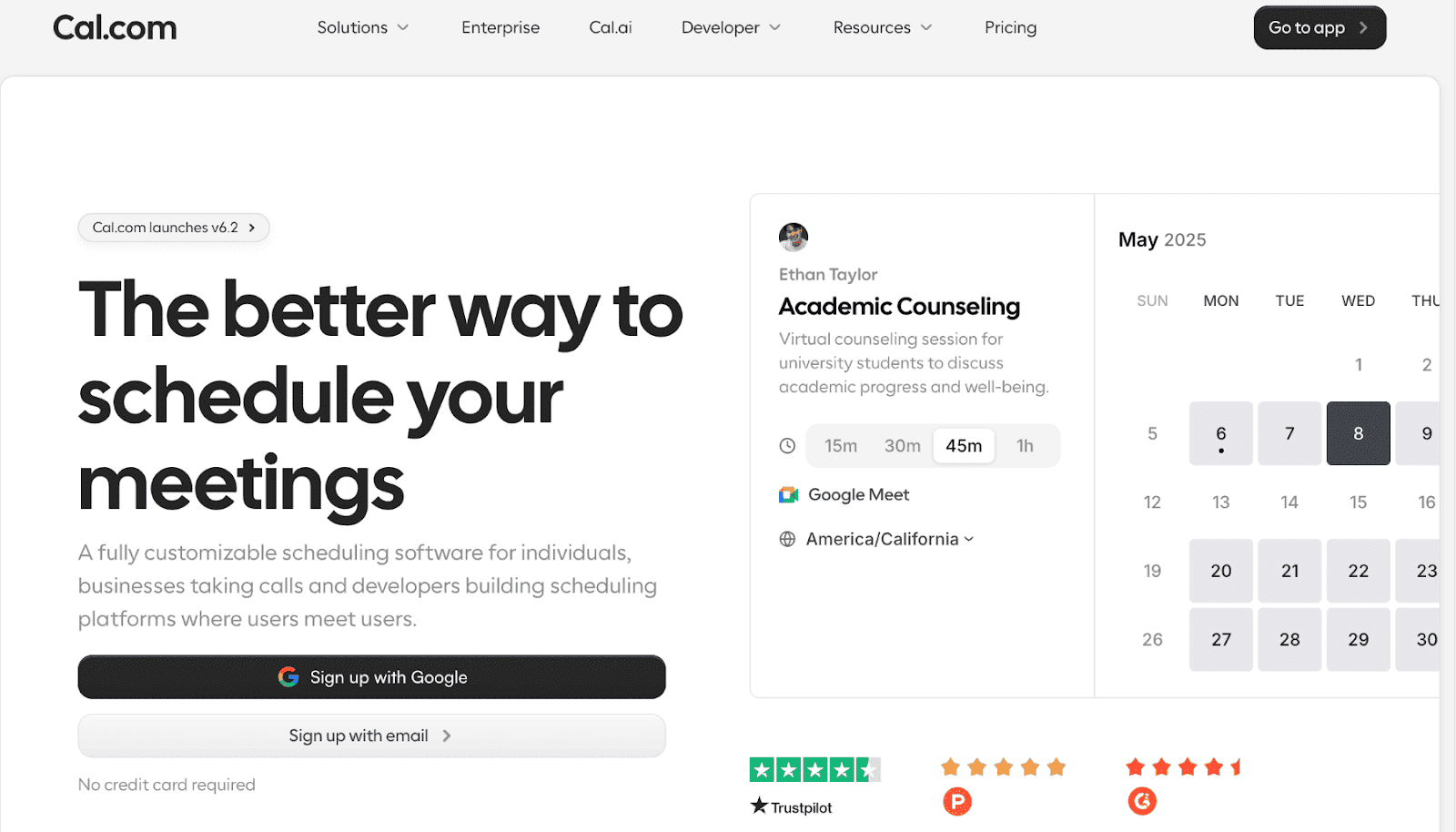
Cal.com is the scheduling backbone that ties your academic life together. While most planner apps focus on what you need to do, Cal.com handles when you do it. Equally important, it also handles when others can reach you.
Students can share a personal booking link with professors, advisors, tutors, and study groups, eliminating the back-and-forth of finding a time that works for everyone. Every booking syncs automatically with Google Calendar, Outlook, and Apple Calendar, so your study blocks and external commitments never overlap.
For students juggling office-hours appointments, tutoring sessions, group project check-ins, or part-time work schedules, Cal.com brings order to the coordination layer that other apps ignore entirely.
Key Features
Shareable booking links that respect your existing calendar availability
Two-way sync with Google Calendar, Outlook, and Apple Calendar
Automated reminders and confirmations for scheduled meetings
Recurring availability templates for weekly office hours or study sessions
Team scheduling for group projects and collaborative study sessions
Best for: Students who need to manage bookings, meetings, and calendar sync in one place.
Platforms: iOS, Android, Web, macOS, Windows.
Pricing: Free. Paid plans start at $12/user/month.
2. Notion: Best All-in-One Workspace
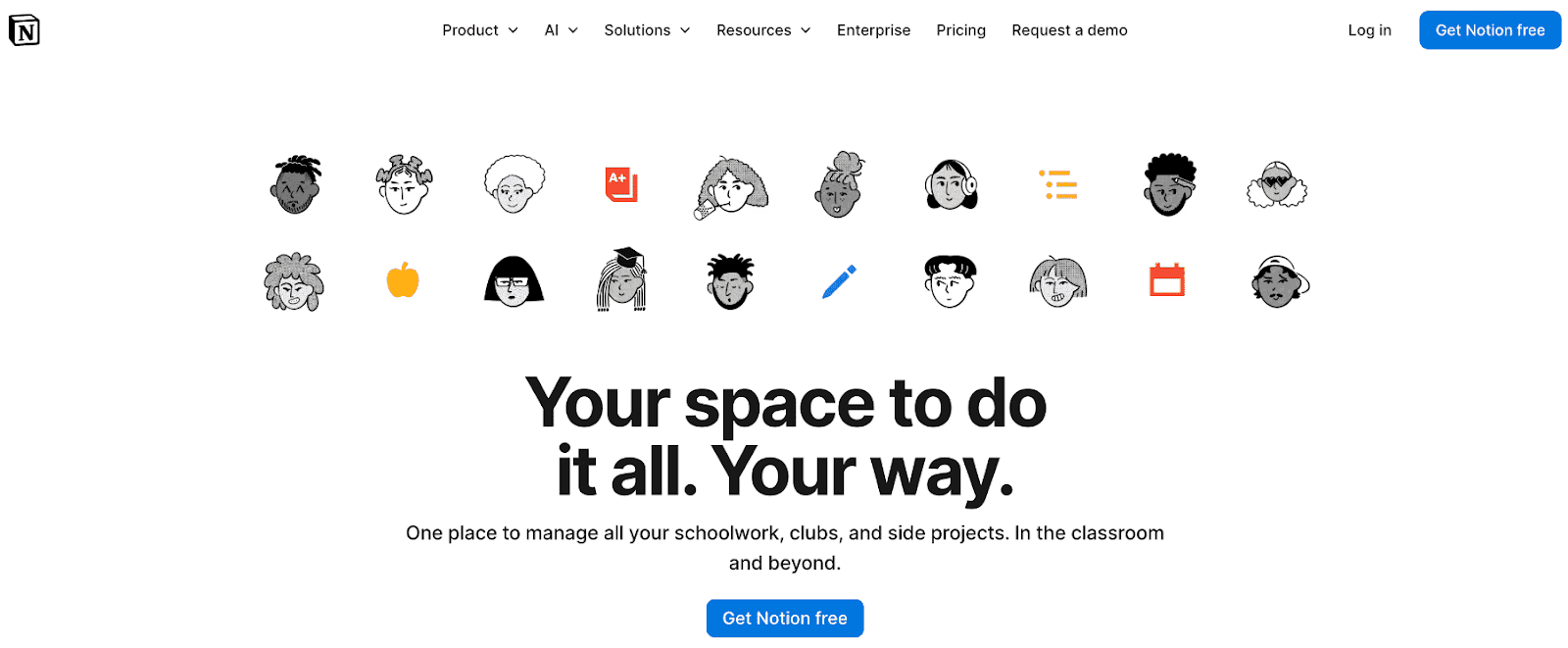
Notion has matured into a genuinely powerful academic workspace. Students can combine a semester calendar, assignment tracker, reading log, and class notes into a single, customizable system. With Notion AI now integrated, you can ask questions across your own notes, auto-generate study guides, and summarize lecture content without leaving the app.
Unfortunately, all this power comes with a steep learning curve.
Key Features
Customizable databases for tracking assignments by course, status, and due date
Built-in AI for summarizing notes and generating study materials
Thousands of free student templates are available in the community
Real-time collaboration for group projects
Web clipper for saving research directly to your workspace
Pricing: Paid plans start at $12/member/month.
3. MyStudyLife: Best Purpose-Built Academic Planner
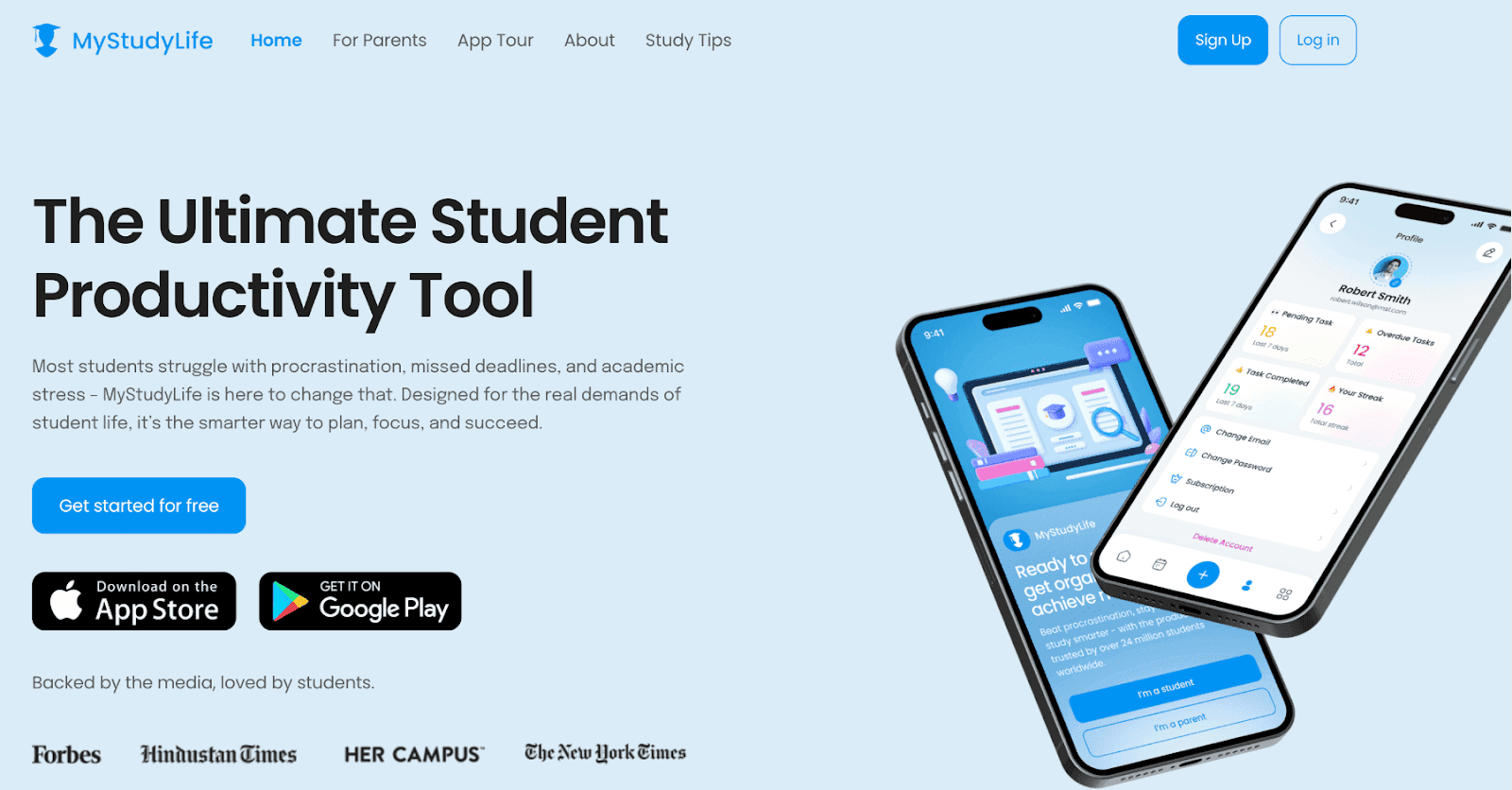
MyStudyLife was designed from the ground up for students, and it shows. It understands rotating class schedules, tracks homework per subject, reminds you about upcoming exams, and syncs seamlessly across all your devices. Unlike general-purpose tools, it uses academic terminology (subjects, terms, semesters? without requiring you to rebuild that structure yourself.
Key Features
Rotating and irregular class schedule support
Subject-specific homework and exam tracking
Revision reminders that scale up as exams approach
Works offline with automatic background sync
Clean, distraction-free interface designed specifically for students.
Pricing: Free. Pricing is not publicly listed on the website.
4. GoodNotes: Best for Handwriting and iPad Users
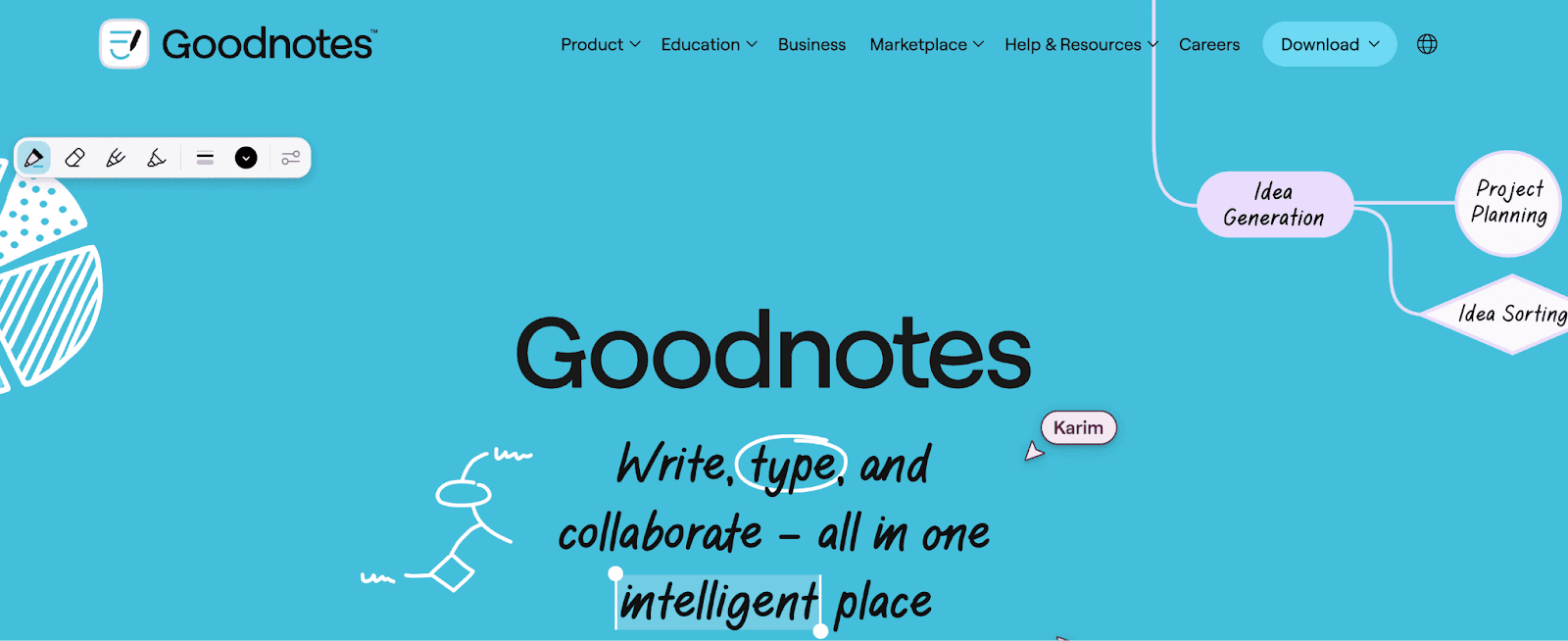
For tablet users, GoodNotes combines the tactile satisfaction of handwriting with the organizational power of a digital platform. You can annotate PDFs, sketch diagrams, and handwrite notes, and the app converts your handwriting to fully searchable text. The AI Study Tools feature can automatically generate flashcards and practice questions directly from your handwritten notes.
Key Features
Handwriting-to-text conversion with strong accuracy
PDF annotation for reading and marking up course materials
AI-generated flashcards and practice questions from notes
Customizable notebooks, planners, and templates
Apple Pencil optimized with pressure sensitivity and palm rejection
Pricing: Free. Paid plans not listed.
5. Structured: Best Visual Daily Planner
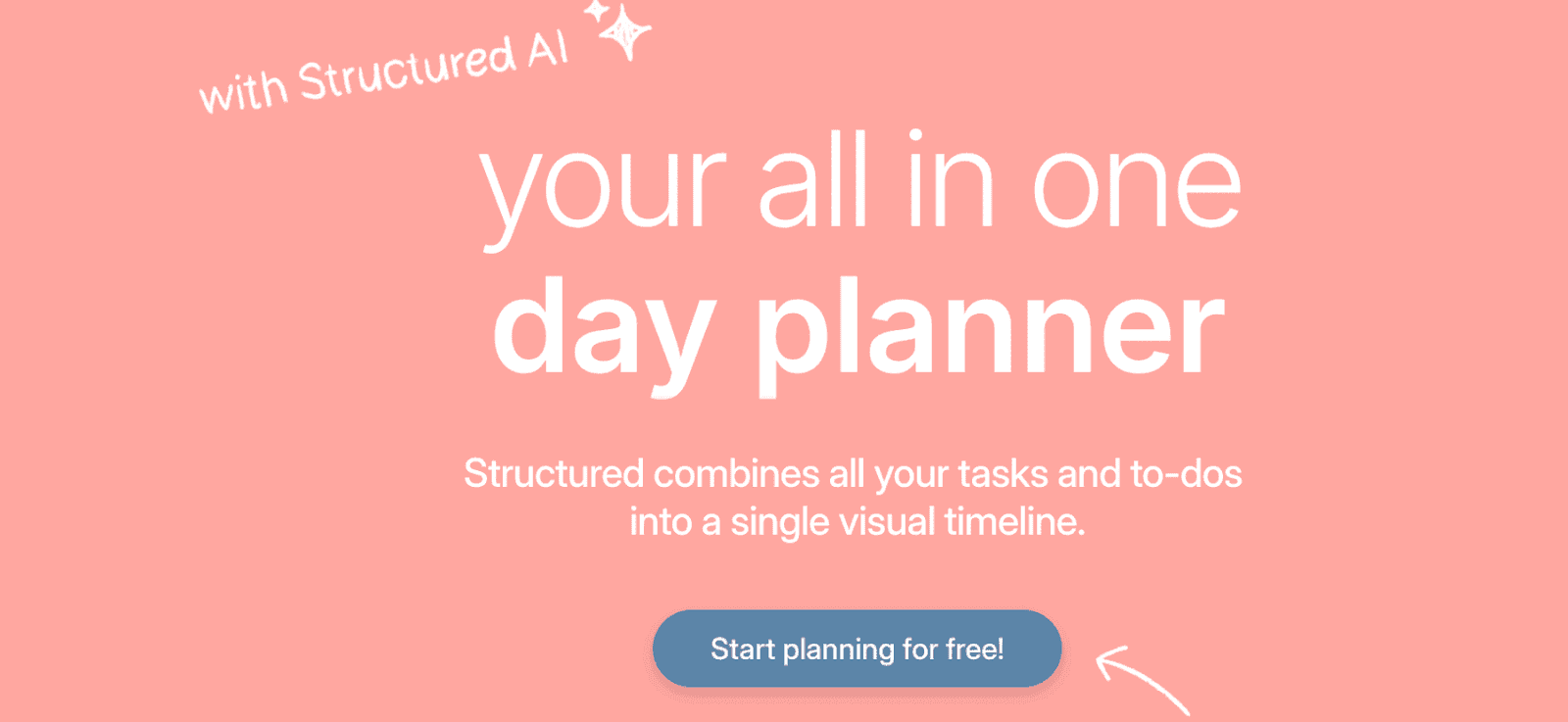
Structured takes a timeline-based approach to your day, letting you visually block out study sessions, classes, meals, and breaks in a way that feels intuitive. It's particularly effective for students who struggle with time blindness — seeing how your day is actually distributed makes it immediately obvious when you're overcommitting or leaving too little time between tasks.
The interface is beautifully minimal and integrates seamlessly with Apple Calendar and Google Calendar. A strong pick for students who want to build more intentional daily routines.
Key features:
Visual timeline layout showing your full day at a glance
Drag-and-drop task scheduling and rescheduling
Google Calendar and Apple Calendar sync
Repeating tasks for class schedules and weekly habits
Focus mode to reduce distraction during blocked study time
Pricing: Free. Paid plans not listed.
Managing Homework with Digital Planners
A homework planner is only as good as the interface you're willing to use consistently. The tools that last share a few UX principles that separate genuinely useful apps from ones that collect digital dust. Here’s what to look for in a homework planner:
Interfaces that don't get in your way
A homework planner should have a minimal learning curve. You shouldn't need a tutorial to log an assignment. The best apps make adding, editing, and completing tasks frictionless — which means you're far more likely to maintain the habit over a full academic year.
Cross-device syncing is non-negotiable. If you log an assignment on your phone in class but can't see it on your laptop at home, the whole system breaks down. Every app in this list handles sync reliably across devices and platforms.
Deadline visibility that prevents surprises
Color-coding by due-date proximity, the ability to filter by course or urgency, and clear calendar views all contribute to a system that keeps nothing from slipping through the cracks. The goal is simple: at any given moment, you should be able to open your planner and know exactly what the next few days require of you.
Weekly habit: Reserve 10 minutes every Sunday evening to review the coming week. Update any deadlines that shifted, confirm reminders are set for major submissions, and adjust your study blocks accordingly. This single habit does more for academic performance than almost any app feature.
Schedule Apps and Calendar Integration
For students, a schedule app and a task manager serve overlapping but distinct purposes. A schedule app provides a calendar view of your week.
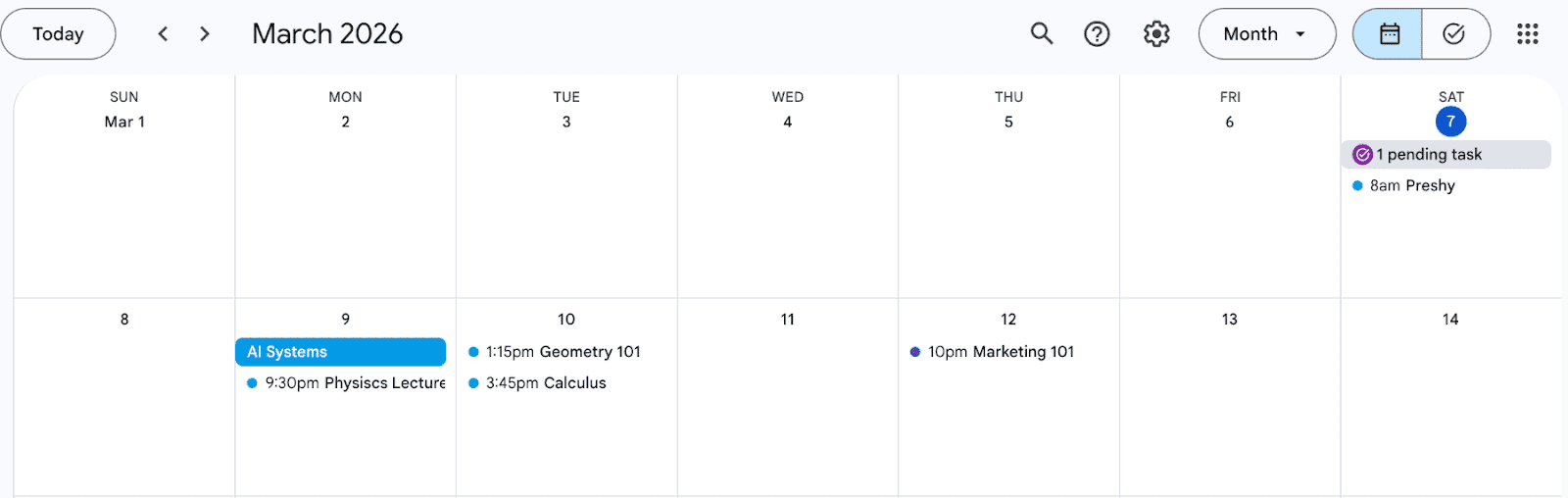
Calendar integration with Google Calendar or Apple Calendar is a critical feature to look for. When your class schedule, assignment deadlines, and personal commitments all live in the same synced ecosystem, you get an honest picture of how much time you actually have. This prevents the common trap of agreeing to obligations without realizing how little margin you have in a given week.
This is one of the main reasons Cal.com is one of the best student planner apps. You can sync an unlimited number of calendars, giving you a unified view that helps avoid double-bookings.
For coordinating meetings outside your own calendar (scheduling time with an advisor, a tutor, or a study group), Cal.com handles scheduling and syncing with Google Calendar and Apple Calendar so your study blocks and external appointments never conflict.
Customizable notifications are equally important. A push notification a week before a major paper is useful.
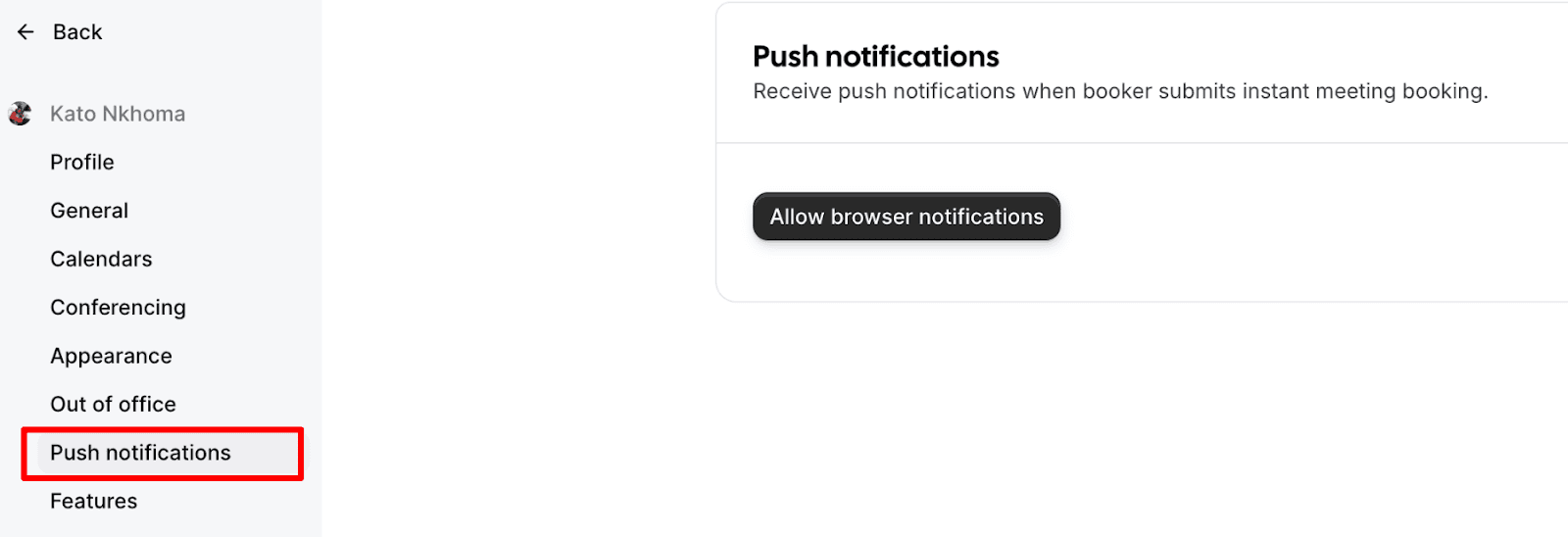
The apps worth your time let you configure these settings per task type, so your phone works with you rather than against you.
How to Choose the Right Student Planner App
With so many options available, the question isn't "is there a good planner app?" It’s about finding the one that fits your workflow. Here are the most important factors to evaluate before committing:
Your platform and devices. Most users will get the most from Cal.com as it can help you stay on top of your schedule and also comes with handy notifications. Plus, the cross-platform support means you can use it on desktop or mobile.
Your learning style. Visual thinkers benefit from timeline or board-based layouts — Structured is the clearest example. List-oriented thinkers will feel at home in Todoist's clean hierarchy. Students who like to write and connect ideas will find Notion's block-based system intuitive.
Your actual complexity. A first-year undergraduate with four courses needs far less than a PhD student juggling research, teaching responsibilities, and publications. Match the tool to your real workload, not an idealized version of it. This is something Cal.com can easily handle.
Security and privacy. For apps that store sensitive academic work, look for end-to-end encryption, strong login mechanisms such as two-factor authentication, and clear data policies. Understand whether your notes are used to train AI models before opting in.
Long-term viability. Will this app still exist and remain reasonably free in four years? Tools with strong business models and open data export policies are safer long-term bets.
The right planner app removes friction from staying organized. If you're constantly forgetting to open it, or finding it too rigid for your actual schedule, that's a signal to try something else — not a personal failure. The best tool is the one you actually use every day.
Need to Be in Charge of Your Schedule? Get Started with Cal.com
Managing your own schedule is only half of the equation. The other is coordinating with everyone else. Cal.com makes it easy to share your availability, book meetings with advisors and professors, and sync everything with the calendar apps you already use.
FAQs About the Best Student Planner Apps
What is a student planner app?
A student planner app is a digital tool that helps you organize your academic life. It allows you to track assignments, manage class schedules, set reminders for deadlines, and plan study sessions. Many apps also include features like task lists, calendar views, progress tracking, and note-taking. The goal is to reduce mental clutter so you can stay organized and focus more on studying rather than remembering everything you need to do.
What’s the best free student planner app?
The best free student planner app is Cal.com. It focuses on managing your schedule and coordinating time with others. Students can share booking links with professors, tutors, or study groups and automatically sync meetings with Google Calendar, Apple Calendar, or Outlook. This prevents double bookings and keeps all academic commitments in one place, making it a powerful free tool for staying organized.
Which app helps the best with scheduling?
Cal.com is one of the best apps for scheduling because it focuses on managing when things happen. Students can share a booking link with professors, tutors, or study groups to schedule meetings without endless back-and-forth messages. It also syncs with Google Calendar, Apple Calendar, and Outlook, so your classes, study blocks, and appointments stay in one place and double bookings are avoided.
Which student planner app helps with organizing my lectures?
Notion is one of the best apps for organizing lectures because it lets you store notes, assignments, and course materials in one structured workspace. You can create pages for each subject, link lecture notes to tasks or deadlines, and even generate summaries using AI. This makes it easy to review class material and keep everything related to a course organized in one place.
Which student planner app helps with note taking?
GoodNotes is one of the best planner apps for note taking, especially for students using an iPad or tablet. It lets you handwrite notes, annotate PDFs, and organize notebooks by subject. The app also converts handwriting into searchable text and can generate flashcards or practice questions from your notes, making it useful for reviewing lecture material and preparing for exams.

Get started with Cal.com for free today!
Experience seamless scheduling and productivity with no hidden fees. Sign up in seconds and start simplifying your scheduling today, no credit card required!